YOLOV8优化(2),自定义boxes和mask颜色
有时候我们在推理时发现目标物体与检测框、掩码颜色相近,甚至相同,影响观测体验。
这篇文章来教大家如何自定义boxes和mask颜色
第一步
首先我们找到并打开ultralytics/utils/plotting.py文件
在Colors类之后添加Color类,在colors = Colors()后添加color = Color(),注意C要大写的
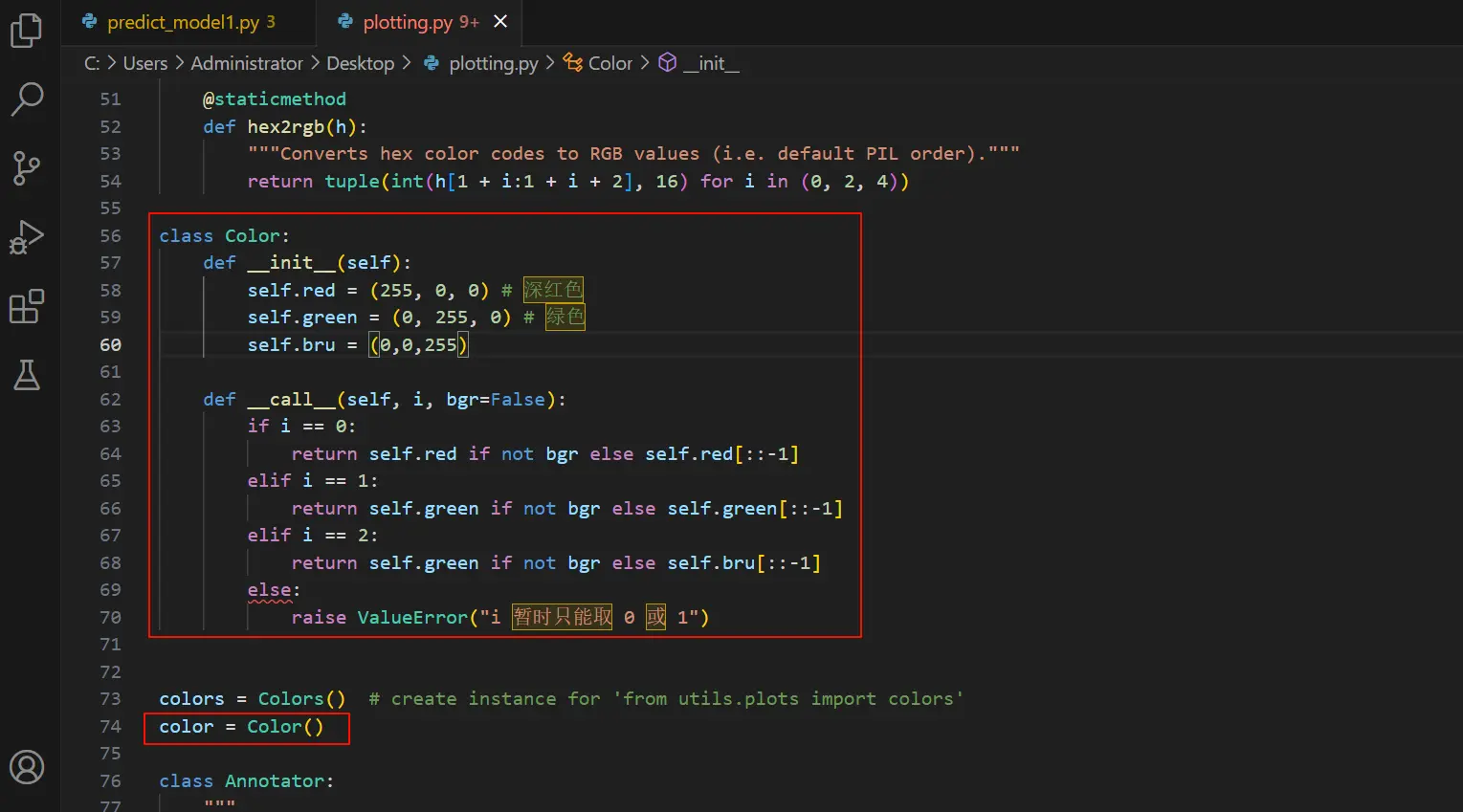
如果想自定义修改颜色可以在 def __init__(self):添加self.*常量,颜色选择为RGB格式
再添加类似
1 | if i == *: |
就可以了
class Color如下:
1 | class Color: |
第二步
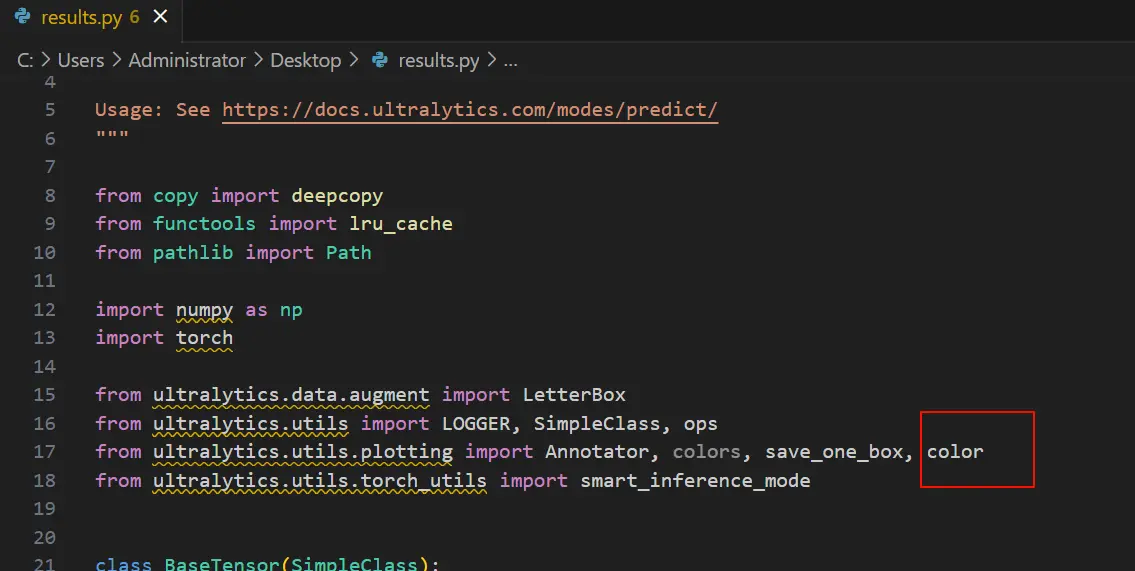
找到并打开ultralytics/engine/results.py
导入我们上一步创建好的Color类
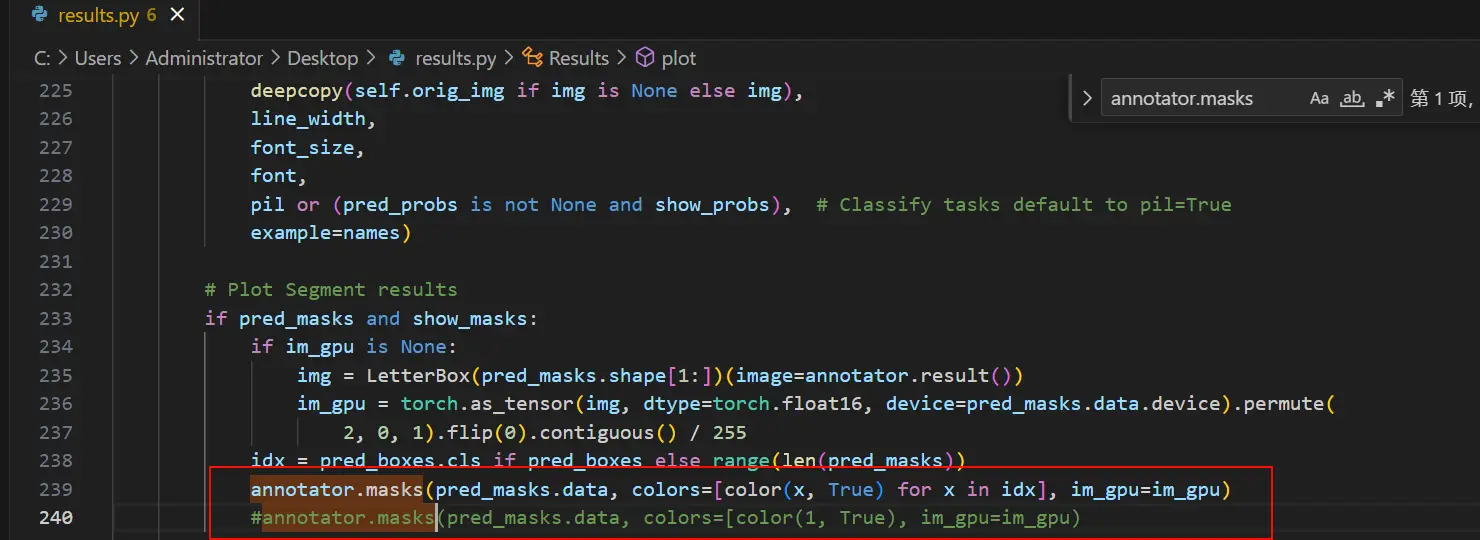
ctrl+f搜索annotator.masks
把annotator.masks修改为
1 | annotator.masks(pred_masks.data, colors=[color(1, True)], im_gpu=img_gpu) |
ctrl+f搜索annotator.box_label
把annotator.box_label修改为
1 | #单标签设置为1绿色 |

最后我们运行推理就可以了。
希望我的文章对你有所帮助。有问题联系我,邮箱在(1)号文章结尾。
All articles in this blog are licensed under CC BY-NC-SA 4.0 unless stating additionally.
Related Articles
Comment