
How to link a VMware virtual machine with ssh
I. Configuration environment
1、VMware 15
2、ubuntu-18.04.1-desktop-amd64
3、Xshell7
II. Configuration process
1. Is there any ssh configured in the virtual machine?
1 | root@kqz-virtual-machine:/usr/bin/bin# /etc/init.d/iptables start |
This is because the ssh seat is not installed and the file or directory is not present.
2. Command to install ssh
1 | root@kqz-virtual-machine:/etc# sudo apt install openssh-server |
3. Restart the ssh service
1 | root@kqz-virtual-machine:/etc# sudo service ssh restart |
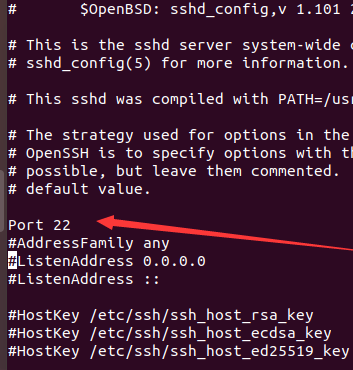
4. Turn on the default port number
Enter the code into the editor
1 | root@kqz-virtual-machine:/etc# vi /etc/ssh/sshd_config |
Release this port:
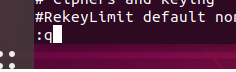
5. Save and exit :q Carriage return
6. Restarting the SSH service
1 | root@kqz-virtual-machine:/etc# sudo service ssh restart |
III. Local SSH connection to the virtual machine
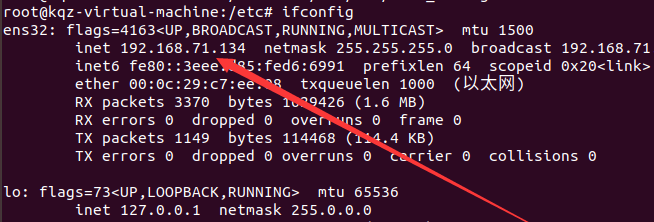
1.Find your own IP port for the 22 just now
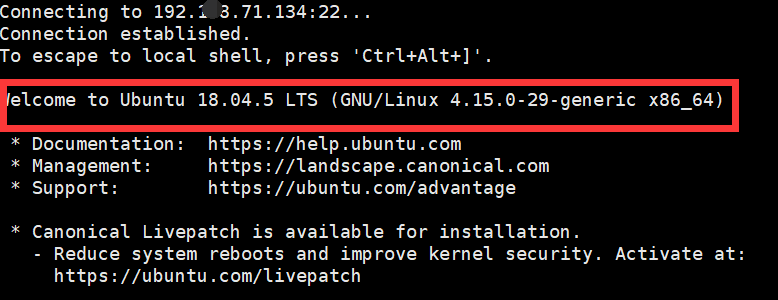
2.Connecting with root user will fail to connect, but connecting with normal user will not report an error.
Solution: You can log in as an ordinary user and then enter the root user.
All articles in this blog are licensed under CC BY-NC-SA 4.0 unless stating additionally.
Related Articles

Comment